
Articles ·
An audio guide for a temporary exhibition in one day
An audio guide for a temporary exhibition from opening day: a path in under an hour, QR codes and testing in one day. No app, from EUR 0.
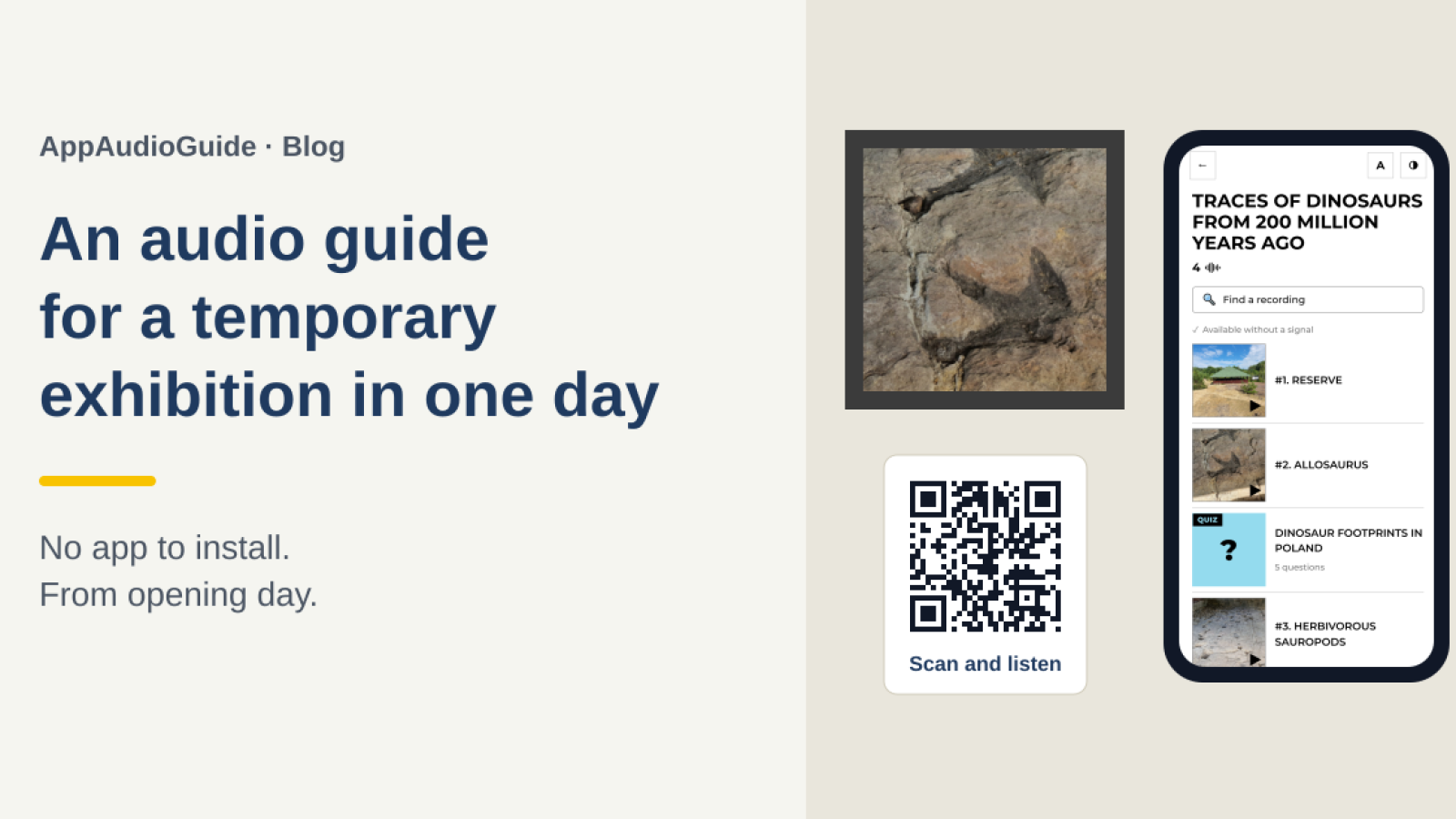
A temporary exhibition can have an audio guide from opening day, not from halfway through its run. A path with a dozen or so stops takes under an hour to put together in the panel, and the whole guide, including printing the QR codes and testing it on your own phone, fits into a single working day.
You need no app in the stores, no developer and no tender. The texts the museum usually already has are enough, plus someone who knows the exhibition.
Why temporary exhibitions so rarely have an audio guide
Because in the traditional model the guide takes longer to make than the exhibition lasts. An app in the stores means weeks of work and approval on the App Store and Google Play, and handheld players have to be bought or hired, charged and handed out at the desk.
For an exhibition running three or four months, that investment rarely pays off. Visitors are left with labels beside the objects and the catalogue, and those who would rather listen have no way to.
A guide in the browser solves this. The visitor scans a QR code and listens straight away, with nothing to install and no account to create. And the museum builds it itself, in the panel, on the same day.
One day, step by step
The longest part of the day is not the panel. It is choosing the texts and checking the guide in the exhibition with a phone in hand.
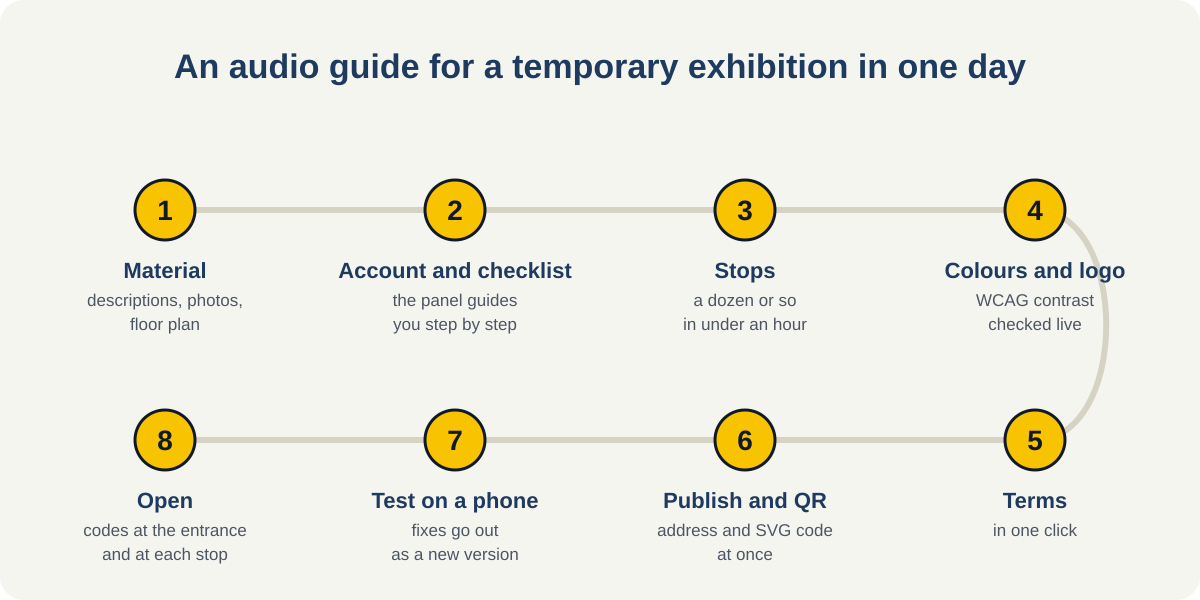
- Gather the material. Descriptions from the catalogue or the wall labels, notes prepared for guides, photographs from the exhibition records. A floor plan of the room helps too.
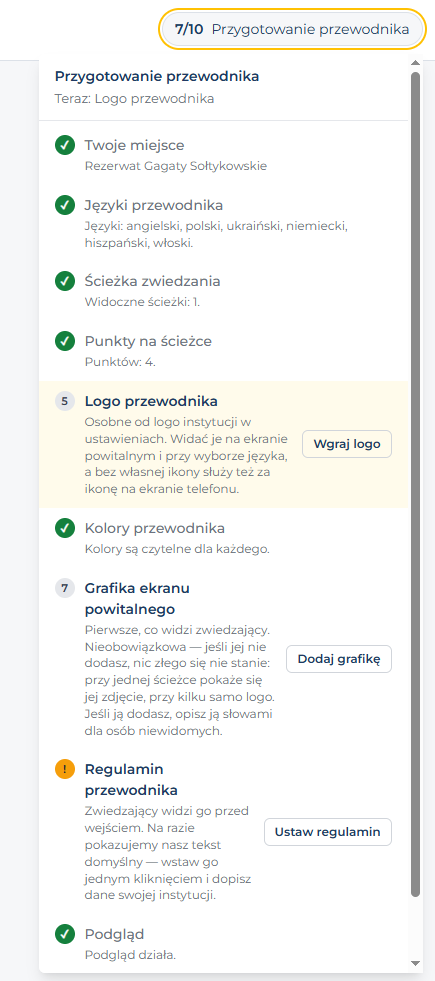
- Create an account and follow the checklist. The panel has a guide setup checklist: the steps from your venue and languages, through the path and its stops, to the terms and the preview. You can see at a glance what is done and what is left.
- Add the stops. Each stop is a description and a photo, plus a recording once it is ready. Start with the five most important objects and add the rest. A dozen or so stops take less than an hour. If you have a floor plan, the stops can also be placed on a map.
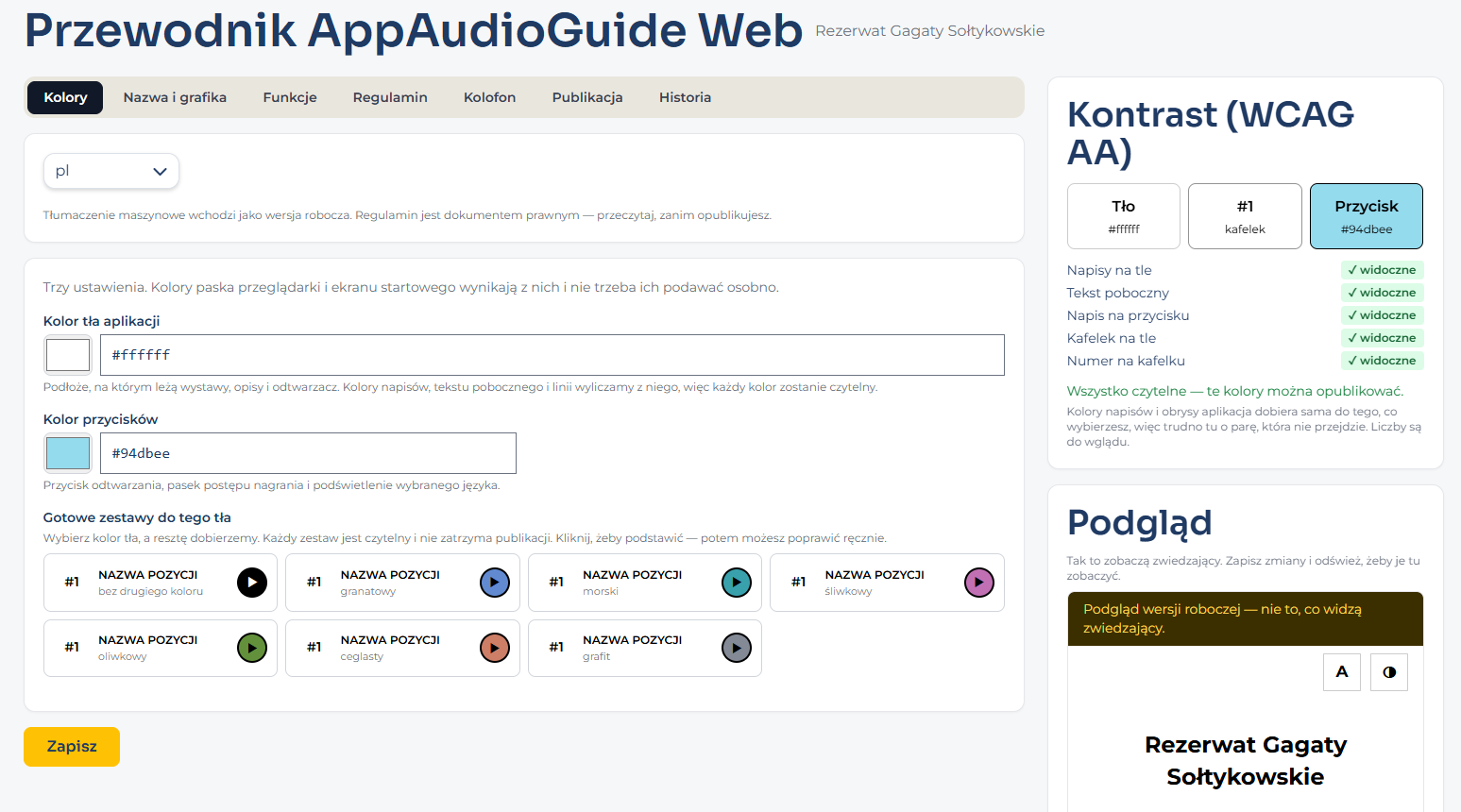
- Set the colours and logo. Two colours are enough, background and buttons, or one of the ready-made sets. The panel checks contrast against WCAG AA as you go and shows a preview of what visitors will see.
- Add the terms. The default text goes in with one click, and you add your institution's details.
- Publish and download the QR code. Once published, you get the guide's public address and a QR code in SVG format at once. It scales without losing sharpness, so it works on a leaflet and on a poster alike. The same address can also be written to an NFC tag.
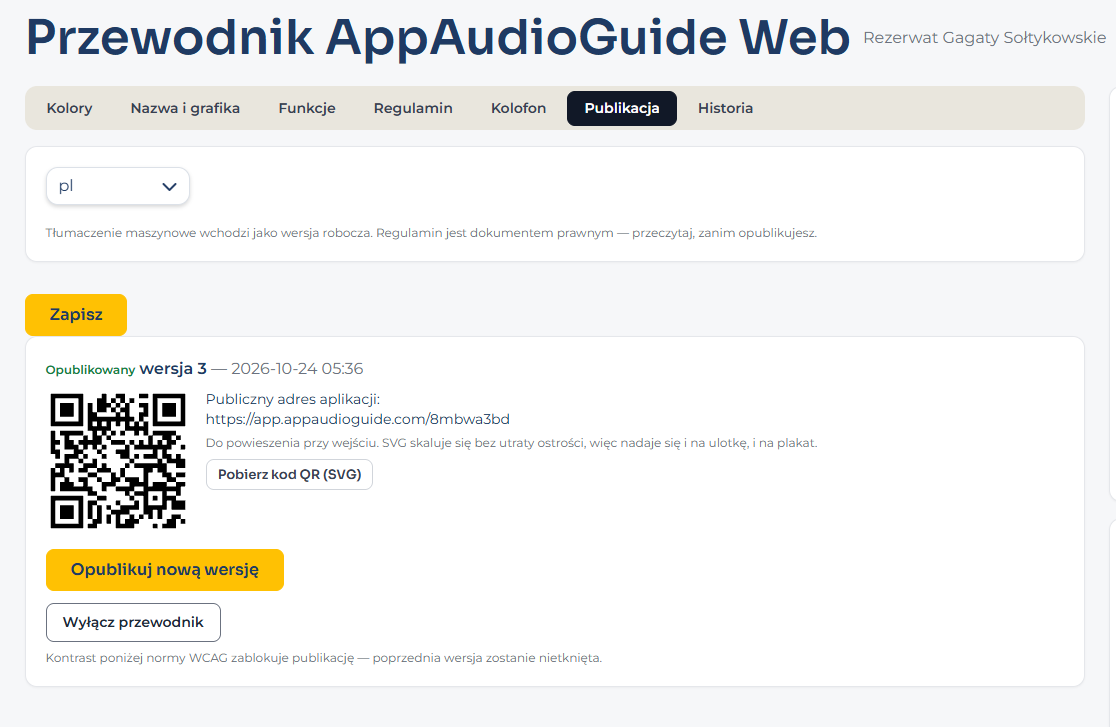
- Walk the exhibition with your phone. Scan the codes, read the descriptions on a small screen, correct anything that needs changing and publish a new version with one button. If contrast ever drops below the standard, publishing stops and visitors keep seeing the previous version.
- Put up the codes and open. Ideally at the entrance and beside every stop that has its own recording or description.
The first person to scan a code does not have to install anything. The guide opens in the phone's browser.
You already have the texts
For a temporary exhibition you rarely have to write from scratch. There are catalogue entries, wall texts and material prepared for guides and educators. That is quite enough to start: the guide can go live on descriptions alone.
They just need a light trim for the phone:
- One stop, one idea. The visitor is standing in front of the object and wants to know what to look at, not read a whole catalogue chapter.
- Short sentences. What reads well in print is often too long on a small screen and in a recording.
- Point to what can be seen. A detail in a painting, a trace of use on an object, something nobody would notice without a hint.
The guide is best put together by someone who knows the collection: a curator, a guide or an educator. The panel helps with the rest: AI translates the descriptions into further languages and suggests alt text for the photos, with no prompts to write and no extra charge.
There is more on writing for listening in How to Create a Museum Audio Guide: Texts, Recordings and AI Voices.
Recordings can come later
Having no recordings is no reason to hold back the guide. You go live with descriptions and photos, and add recordings to the stops when they are ready. Publish a new version and visitors get them at once, with no app to update.
There are three routes:
- In your own voice. A curator reading about their own exhibition often sounds more convincing than a professional narrator.
- With an AI voice. Quick and cheap, especially across several languages. You make the recording in an external tool and upload it to the panel like any other audio file. Our guide to preparing an audio guide explains how to do it well.
- Commissioned from us. We will produce recordings from your texts; the quote depends on the number of stops and languages.
Every recording comes with a transcript for deaf visitors. On the full plan you can also add video, sign-language video and audio description at no extra cost.
What it costs
An exhibition running four months costs EUR 280 net for a guide with no limit on stops or languages. A small exhibition can be covered free of charge.
| Option | Net price | What it covers |
|---|---|---|
| A small guide in the browser | EUR 0 | 1 exhibition, up to 10 stops, 1 language, audio, map, QR codes, offline mode |
| Guide for a temporary exhibition | EUR 70 / month, minimum two months | 1 exhibition with no limit on stops or languages, video, sign language, playback statistics |
| Guide in the browser for a year | EUR 350 / year | the same, billed annually |
| Content entered by us | EUR 120 one-off | you send the descriptions, photos and recordings, we build the guide |
For an exhibition longer than five months the annual plan pays off: five months at EUR 70 already come to EUR 350. Current prices are on the Guide in the browser page.
Accessibility, languages and no signal
The guide meets WCAG 2.1 at level AA even on the free plan. It has a high-contrast mode, text enlargement, screen-reader support and transcripts of recordings. The panel checks colour contrast itself and will not publish a guide until the contrast meets the standard.
Visitors choose their language at the entrance. The content downloads to the phone once, when it is first opened, so the guide also works in rooms behind thick walls where there is no signal.
There are no accounts and no personal data. Playback statistics, available on the paid plan, are anonymous and show which stops are opened and played most often, without IP addresses.
Start with one exhibition
The simplest test is your next temporary exhibition. A free account is enough for a first path of up to ten stops, and once you see that visitors use it, you move to the full plan without rewriting anything.
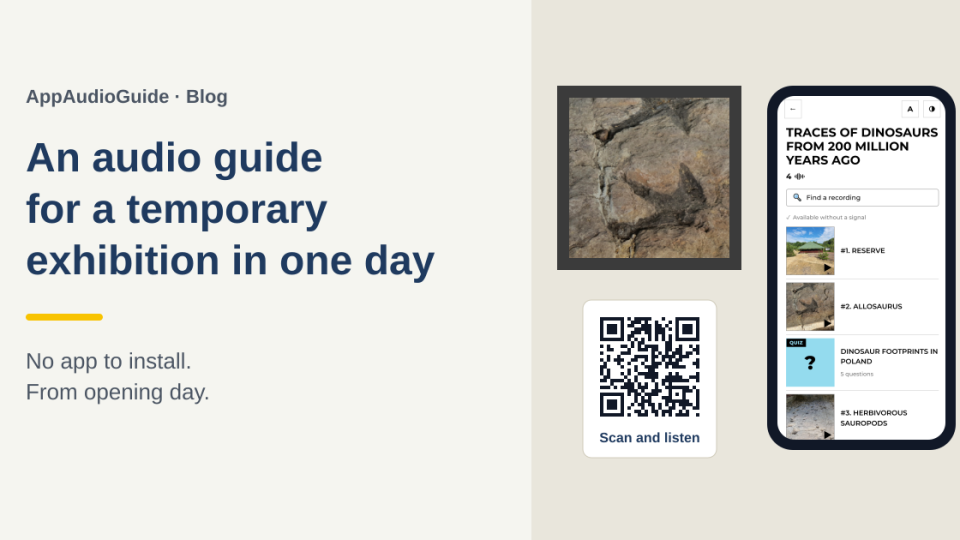
This is what a finished guide looks like: Rezerwat Gagaty Sołtykowskie, with a quiz woven into the narrative of the path. It is best opened on a phone, just as a visitor would.
Create a free account or write to us at contact@appaudioguide.com if you would rather talk about your exhibition first.