Scan and play — no additional labels required on the exhibit.
Visitors point their camera at an object and the app displays the associated content — without the need for a QR code or a number next to the exhibit. Nothing disrupts the exhibition space, and the cost of information plaques is eliminated.
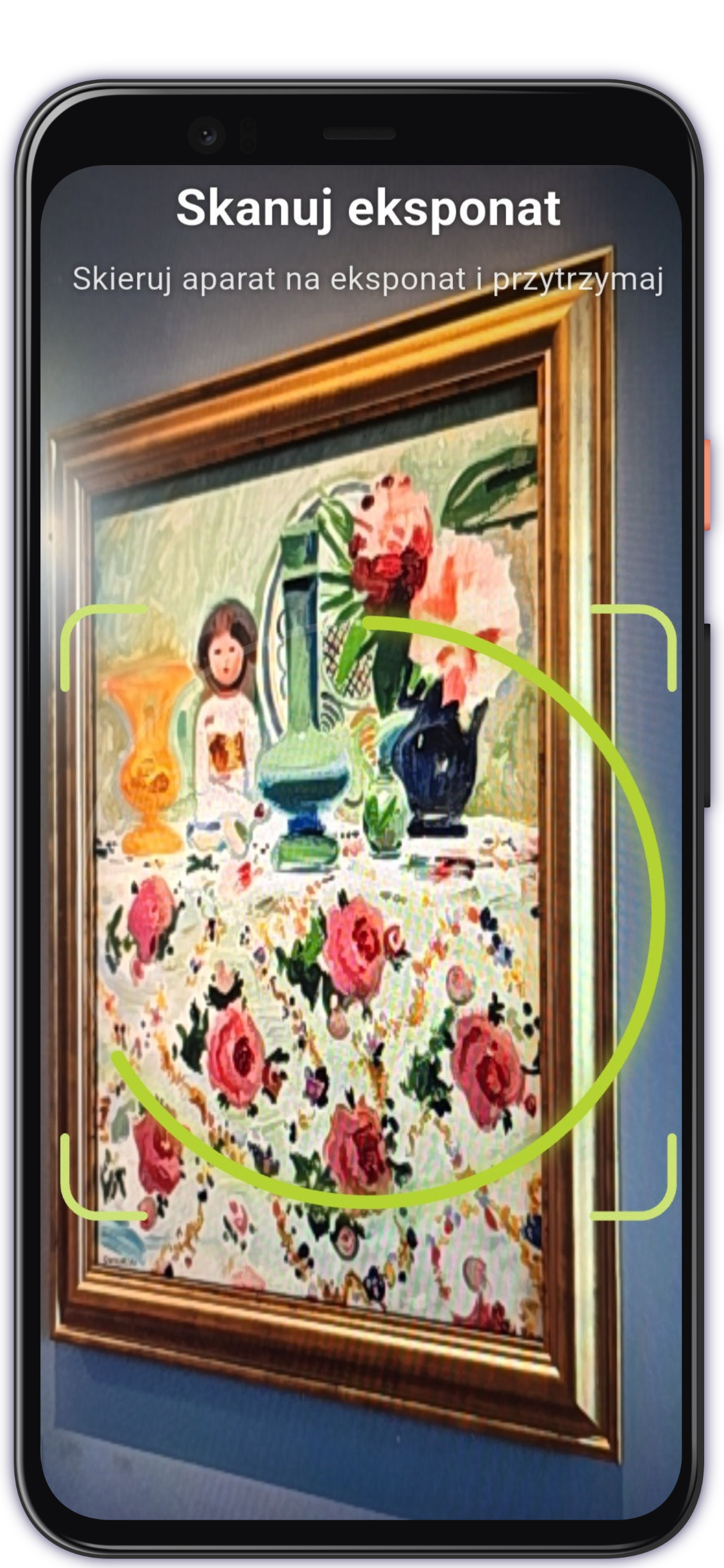
Not every exhibit can be labelled
The QR code or number needs to be placed somewhere — on the wall, on the floor, or on the description next to it. Whether next to a work of art, in a historic interior or in a minimalist setting, any additional element within the field of view is a compromise, and conservation considerations may rule them out entirely. Image recognition makes the content available for each object without adding anything to the exhibition space. It also eliminates the cost of preparing and replacing labels or markings next to the exhibits.
Three moves, no markings on the object
Identifying an exhibit using an image reduces the whole experience to a single, natural gesture.
Bring the scanner
With a single tap in the audio guide app.
Point your camera at the exhibit
A painting, a sculpture, a machine — any object. The ring shows the progress of recognition.
Listen, read, watch
The app opens the associated content in the selected tour mode.
A clean exhibition space, a simpler gesture
No labels next to the exhibit
There are no number plates or QR codes next to the exhibit. The layout of the exhibition remains unchanged.
A simpler gesture for visitors
Pointing the camera at an object feels more natural than looking for a number or aiming at a code.
Offline and in private
Recognition takes place on the device. Photos never leave your phone; it works even without a signal.
Complements, does not replace
It works alongside QR codes, maps and lists. Visitors can choose whichever they find most convenient.
Accessibility embodied in a gesture
Once they have identified an exhibit, visitors can access not only the audio and text description, but also a video in sign language — providing Deaf and Hard-of-Hearing visitors with access to the exhibition’s content in their natural language.
The feature respects animation restrictions, includes labels for screen readers and complies with WCAG guidelines.
A feature available in a dedicated app under the museum’s brand
Exhibit recognition is one of the reasons why organisations opt for a dedicated app rather than a feature within a shared platform — it offers full control over the visitor experience and access to advanced features.
Image recognition works best within a dedicated app — complete with its own listing on the App Store and Google Play, full customisation and other native features; we determine the scope of this on a case-by-case basis as part of the implementation. The feature can also be enabled within the shared AppAudioGuide app as an additional paid option.
Wherever harmony in the exhibition space is important
Silesian Museum in Katowice
The first museum to offer its visitors the ability to identify exhibits using their mobile phones. Visitors point their phone at an exhibit, and the app recognises it and displays the associated content: an audio recording, a description or a sign language video. When there are several similar images, the app displays a short list to help visitors identify the correct one.
What you need to know
Is this feature available in every version of AppAudioGuide?
Image-based exhibition item recognition is primarily a feature of dedicated mobile apps branded under the institution’s name. It can also be enabled within the AppAudioGuide app as an additional paid option. The PWA (in-browser) version does not include this feature.
Do you need an internet connection to scan?
No. Recognition takes place locally on the visitor’s phone, using a model running on the device. The feature works without a signal — even in rooms with thick walls.
Are the photos from the camera uploaded to the server?
No. The image from the camera never leaves the phone. Recognition takes place on the device itself; nothing is sent to or stored on a server.
What happens when the exhibits are similar to one another?
The app doesn’t guess. When several objects are strikingly similar — for example, a series of paintings by the same artist — it presents a short list and lets you select the correct item.
How is it different from QR codes?
The QR code or number needs to be placed somewhere — on the wall, on the floor, or on the description next to it. Whether next to a work of art, in a historic interior or in a minimalist setting, any additional element within the field of view is a compromise, and conservation considerations may rule them out entirely. Image recognition makes the content available for each object without adding anything to the exhibition space. It also eliminates the cost of preparing and replacing labels or markings next to the exhibits.
Please feel free to get in touch
We’ll show you what’s possible and explain how it works.
Get in touch