An audio guide tends to bring to mind a tender, an IT company and months of waiting. With a QR-code guide that runs in the phone browser, most of that work disappears – whether it is for a museum, an open-air museum, a church or a nature trail. What remains is the part nobody else can do for the venue: choosing the content, writing the texts and making the recordings. This guide explains how to create an audio guide step by step, which tools to use and what to avoid.
What you need to prepare
A guide is made up of stops. Each stop consists of:
- a description – the text shown on screen and the basis for the recording,
- a photograph – one is enough; images from the catalogue or collection records will do,
- a recording – optional.
A recording is not required to launch the guide – text is enough. A guide built on descriptions alone works the same way: the visitor scans the code and immediately reads about the exhibit. Recordings can be added later, stop by stop, as they become ready – without changing the address or reprinting the QR codes. This means the guide can go live on the day the exhibition opens, not only once every recording is finished.
To launch a guide in the browser, you need no developer, no server and no implementation contract.
How long it takes to create an audio guide
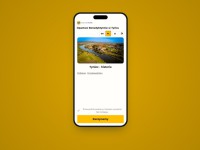
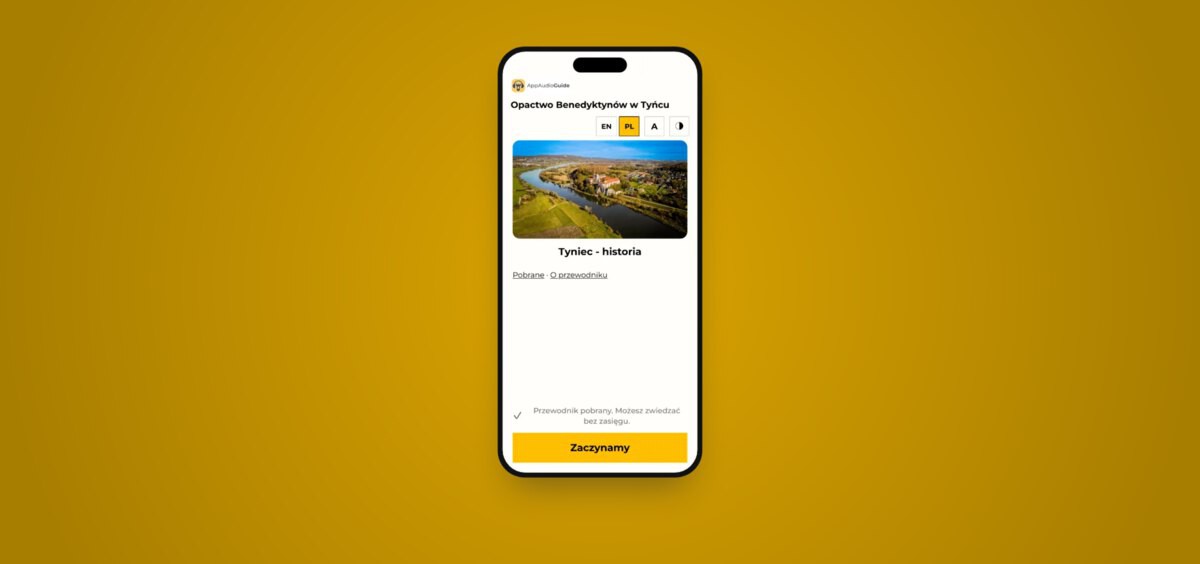
With descriptions and photographs ready, a tour with a dozen or so stops takes about an hour to assemble in the panel: the venue name, a logo, two colours, the stops. The guide's address and a printable QR code are available straight away. This is what the finished result looks like: the guide to Tyniec Benedictine Abbey.
Texts and recordings take the most time. For planning purposes, speech is usually estimated at around 130 words per minute, although the pace varies from person to person. A 200-word description therefore makes roughly a minute and a half of audio. The most accurate method is to read one description aloud with a stopwatch and work out the rest from your own pace.
We recommend one to two minutes per stop. A longer recording is hard to listen to while standing at an exhibit – a broad topic is better split into two stops.
Text for listening, not for reading
Catalogue descriptions usually need rewriting. Long, complex sentences, brackets, abbreviations and dates written as numerals read well but sound poor. A few rules:
- one sentence – one idea,
- dates and numbers written the way they are spoken,
- pronunciation marked for foreign and unusual names (especially important with an AI voice),
- references to what the visitor can see: “in the lower left corner of the painting”, “on the top shelf of the display case”.
The simplest test is to read the text aloud. Any place where you run out of breath or have to go back to the start of a sentence needs fixing.
The same text will serve as the transcript of the recording, which is needed for accessibility. That is why the recording should match the text faithfully.
Audio guide recordings: your own voice, an AI voice or a voice clone
Recording in your own voice
The voice of someone who knows the collection and talks about it every day has a value that is hard to find elsewhere. A phone is enough for recording, provided that:
- you record in a room with curtains, a carpet or upholstered furniture, not in an empty exhibition hall, which creates echo,
- ventilation and air conditioning are switched off and the windows are closed,
- the phone rests on a stand at a steady distance of 20–30 cm from your mouth rather than being held in your hand.
Echo and background noise spoil a recording more than a weaker microphone does.
Your own recording improved with an AI tool
AI-based audio tools remove background noise, reduce echo and even out the volume. This is a good option when recordings already exist or the conditions were not ideal. They will not rescue a recording in which the voice is lost in noise, but they can noticeably improve one made in an ordinary office.
AI voice (synthetic speech)
Speech generators turn text into a recording within minutes and in many languages. They work well for a large number of stops and for foreign-language versions. Their weak point is proper names, surnames, Latin and regional terms, which are sometimes mispronounced. Every recording must be listened to in full before publication.
Cloning your own voice
Some tools create a digital version of a voice from a sample recording. A staff member records the sample once, and the tool then reads further descriptions – including in other languages – in their voice. The guide sounds consistent, and a new stop does not require another recording session.
The quality of the clone depends on the quality of the sample, so the same rules apply as for recording your own voice. The required sample length varies between tools.
What to watch out for when using AI
- Consent. A specific person's voice may only be cloned with their explicit written consent, stating what the voice will be used for and for how long. It is also worth agreeing what happens to the recordings if the employee leaves.
- Licence. Check whether the tool's plan allows public use of the recordings.
- Data. Know where the tool stores voice samples and texts. For a public institution, this is also a matter of personal data protection.
- Information for visitors. Since 2 August 2026, the transparency provisions of the EU Artificial Intelligence Act (AI Act) on AI-generated content have applied. The scope of the obligations depends on the type of content. The simplest solution is a clear note in the guide that the recordings are read by a synthetic voice – for example in the colophon, alongside the credits for texts and photographs. With a clone of a specific person's voice, it is safer to place the note where the visitor first encounters the recording: on the welcome screen or next to the player.
- Verification. AI can mispronounce a word, and when shortening or rewriting a text it can change its meaning. The final version should always be checked by someone who knows the collection.
Recordings to order
If your venue lacks the time or a person to make the recordings, we will produce them from your texts. The quote depends on the number of stops and languages. We can also enter all the content into the panel for a one-off fee of EUR 229 net – just send the descriptions, photographs and recordings.
Start with a few stops
There is no need to describe the whole exhibition at once. A sensible start is a few exhibits that visitors ask about most often. The free plan covers up to 10 stops in one language, which is enough for a first tour.
After a few weeks, ask the ticket desk and gallery staff whether visitors are using the guide – in the paid plan, playback statistics will show this too. Only then is it worth adding further stops and languages.
The most common mistakes with QR codes and recordings
- QR codes in the wrong place. They should hang at eye level, within arm's reach. A code behind glass or at an angle reflects light and the phone cannot read it.
- No information that the guide exists. A plaque at the exhibit is not enough. You need a board at the entrance, a mention at the ticket desk and a note on the website.
- Recordings published without listening to them. This applies especially to AI voices.
- A mismatch between the recording and the text. The transcript must match what can be heard.
Digital accessibility: transcripts and WCAG
In the European Union, public sector bodies are covered by the Web Accessibility Directive (EU) 2016/2102, implemented in national law. In practice, it refers to the WCAG 2.1 standard, which requires, among other things, a text alternative for audio recordings. If a recording was made from a text, the transcript is already there.
The guide offers a high-contrast mode, text enlargement and screen-reader support, and colour contrast is checked automatically before publication. The Guide plan also includes sign-language video and audio description.
An audio guide without an app, or a mobile app?
In conversations with institutions, the question almost always comes up whether visitors will be willing to download an app. The answer depends on who the visitors are and how often they return – which is why there is no single solution for everyone, and we offer both.
A guide in the browser works best where the shortest path from the QR code to the description matters. Scanning the code opens the guide directly at the stop assigned to the exhibit – with a recording or a description alone – with no app store, no installation and no account. A signal is needed only on the first visit, while the guide downloads its content; after that it works offline. It is a good choice for a temporary exhibition, a small venue, a trail or visitors who come once. We described how this works in practice in our deployment at the Royal Castle in Warsaw.
An app under the institution's own brand in the App Store and Google Play offers what a browser cannot: a permanent place for the museum on the visitor's phone, notifications about events and new exhibitions, camera-based exhibit recognition without QR codes, and integration with ticketing systems. It makes sense where visitors return, where the institution has many exhibitions and branches, or where it is building a recognisable digital brand. We design each such app for a specific institution and run it throughout the engagement.
The two paths do not exclude each other. In every variant the same content is managed in one panel, so an institution can start with a guide in the browser and move to a dedicated app without preparing the content again.
The first step
- Choose five exhibits.
- Write about 200 words on each.
- Read the texts aloud and fix whatever sounds like a catalogue.
- Create an account, add the first stops and launch the guide on descriptions alone.
- Add recordings when they are ready.
Questions and answers
Does an audio guide have to include recordings?
No. The guide can be published with descriptions and photographs only, and recordings can be added gradually. The guide's address and the QR codes at the exhibits stay the same.
Can an audio guide be recorded with an AI voice?
Yes. An AI voice works well for many stops and for foreign-language versions, but every recording must be checked before publication, and it is worth letting visitors know they are listening to a synthetic voice.
How do I create an audio guide with QR codes?
Add the stops in the panel – description, photograph, recording – and print the generated codes. The visitor scans the code at the exhibit and immediately hears the right recording, with no app to install.
Is an audio guide suitable for an open-air museum, a church or a trail?
Yes. The guide works offline once the content has been downloaded, and stops can be placed on a map of the grounds with the visiting route.
How much does an audio guide cost?
A small guide with up to 10 stops in one language is free. The plans and prices are listed on the guide in the browser page.
Share: